
BOM management with CAD import – even while the parts list is still growing
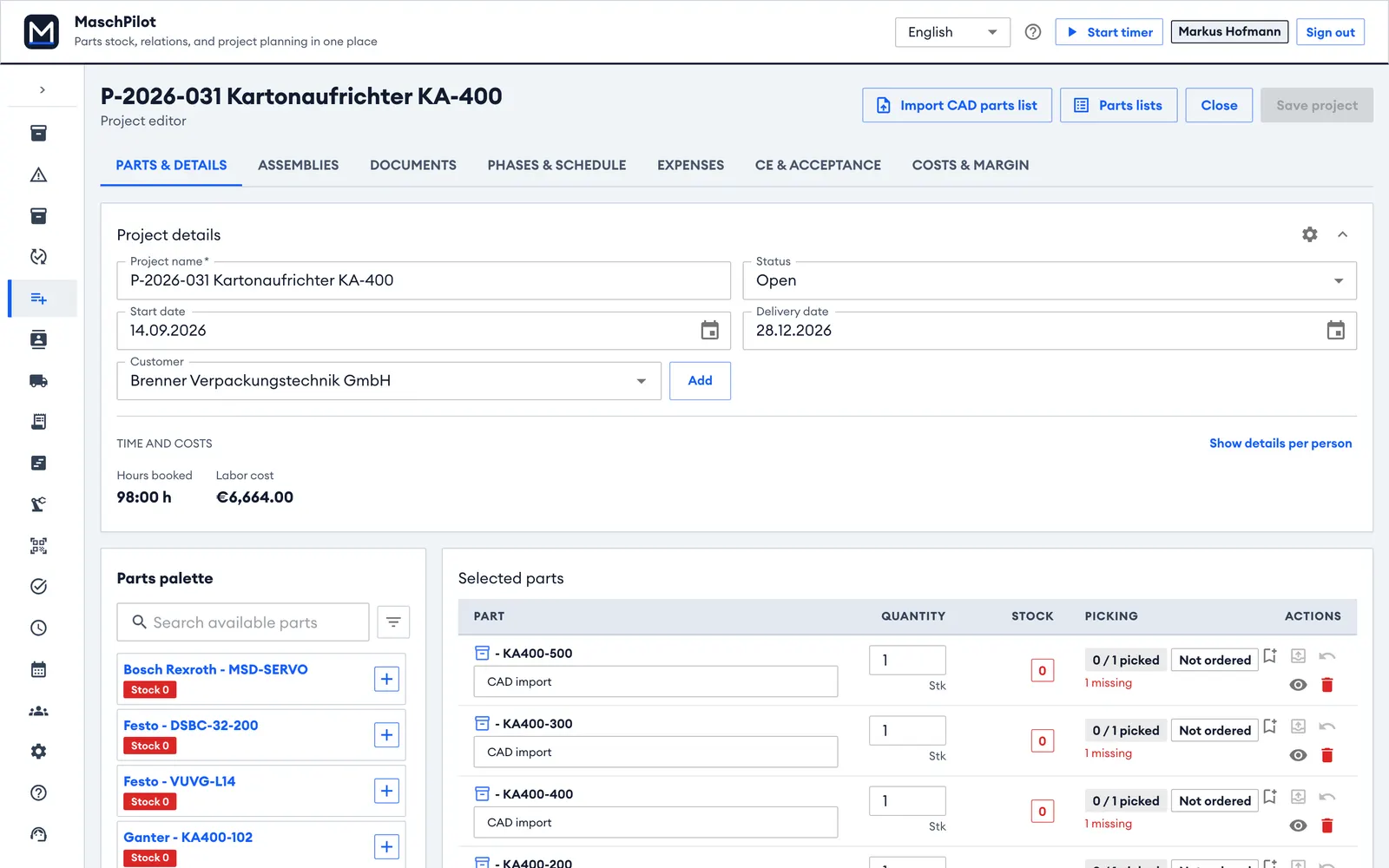
In special machine building the parts list is never finished when purchasing starts. MaschPilot imports it from your CAD system as often as it changes, applies only the differences and releases assemblies one by one – so purchasing and assembly always work from the right version.
No credit card required – 30 days free, ends automatically.
Why Excel parts lists fail in projects
Which version is valid?
Design sends a new list, purchasing has already ordered from the old one.
Changes get lost
One part is dropped, another added – nobody compares 300 rows by hand.
No link to stock
Whether a part is in stock, reserved or ordered is not in the list.
How the parts list import works
Release assemblies one by one
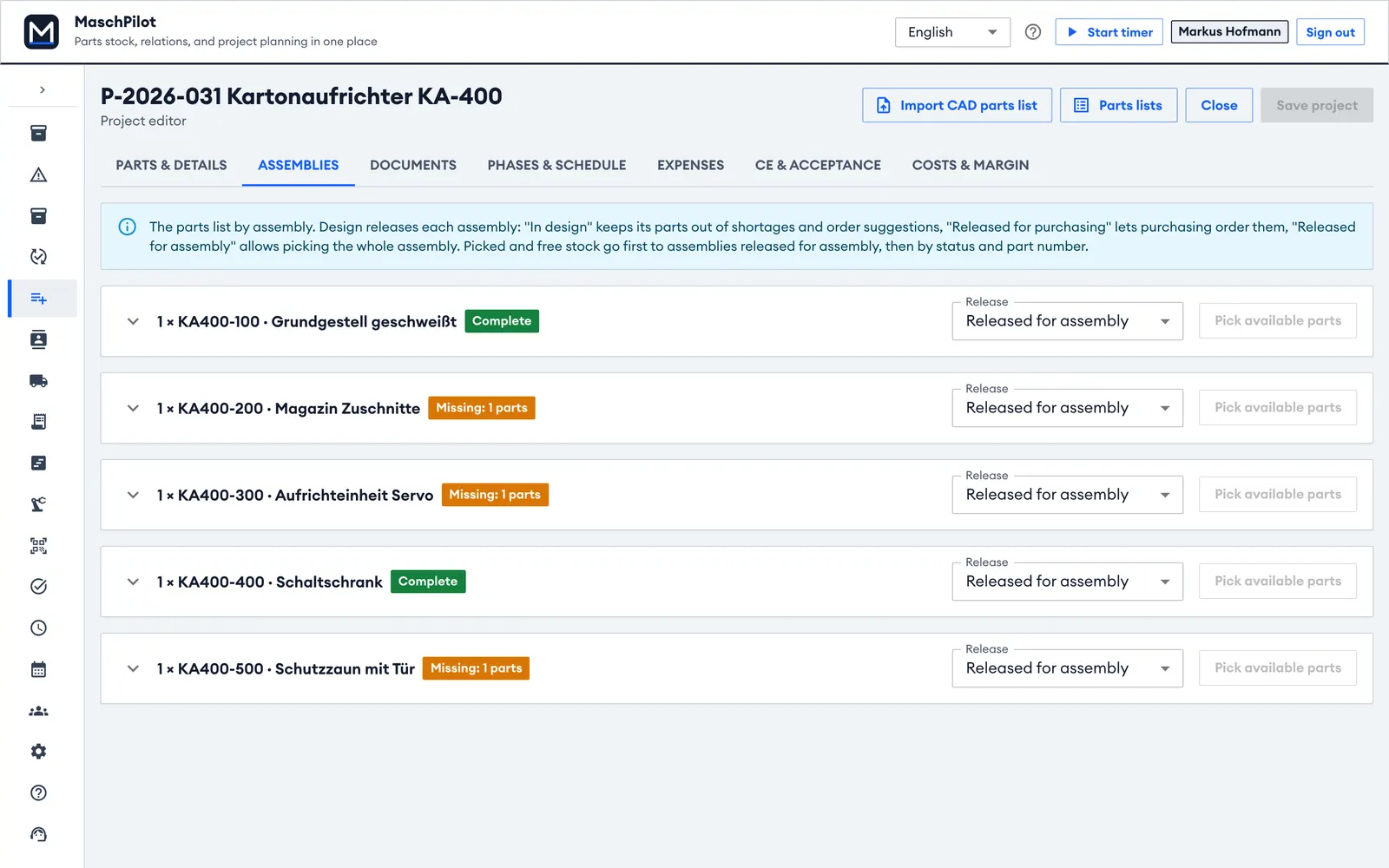
Each assembly has a release status: "in design" keeps its parts out of shortages and order proposals, "released for purchasing" lets you order, "released for assembly" allows picking the whole assembly.
Import from any CAD system
CSV or Excel export from SolidWorks, Autodesk Inventor, Creo, Solid Edge or your PDM. Columns such as part number, designation, quantity, manufacturer and material are mapped; missing parts are created on request. A preview shows what will happen before saving.
- Assembly structure and item numbers are kept
- Re-importing applies only the changes
- Import log per project
Revisions, release and change orders
Parts have a lifecycle (in work, released, obsolete) and revisions with a change note. Change orders show the impact on assemblies, open projects, delivered machines and orders. Revisions can be compared.
Where-used and duplicate warning
See at a glance which assemblies and projects use a part. When you create a part, MaschPilot warns about similar ones – so your parts master stays clean.
Related
Purchasing, shortages & stock
Shortage list, orders, goods receipt and stock with QR scanning.
Learn more →Job costing
Running job costing with budget vs. actual and margin forecast.
Learn more →Special machine building software
For engineer-to-order companies with 5 to 150 employees – leaner than a classic ERP.
Learn more →Frequently asked questions
Which CAD systems are supported?
What happens when the parts list changes?
Can we view 3D data?
Import your first parts list in minutes.
Export a parts list from your CAD system and load it into a test project – free for 30 days.
No credit card required – 30 days free, ends automatically.